13 — Microphone threshold notification
Created: 05 Apr 2026, Modified: 15 Apr 2026
Microphone to detect sound level
Living in a region under bombardments, at times of trouble there is a sound that is sufficiently loud to wake you from sleep, but somehow in the loo I hear nothing. I have been caught out enough times that I now have a certain anxiety and try to rush when I do my business!
Where I leave my computer the sound is audible, so I’m thinking a simple solution to the problem is connect a microphone and emit an audio notification over wireless headphones when the sound is over a threshold.
I searched for how to do things with the microphone in a Python script, and saw pyaudio and sounddevice, both bindings for the C library portaudio. I chose sounddevice because it seems nicer to use, especially swayed by bastibe’s comment on this 2015 Reddit thread (this must be none other than Bastian Bechtold, which the author of sounddevice thanks in the initial release).
The docs are good.
Note
The author is skilled at technical writing. He also has tutorials on mg.readthedocs.io and Jupyter notebooks about working with audio in Python.
For reading from the microphone we could use InputStream or RawInputStream, the difference being that the first one passes numpy.ndarray (and thus requires numpy), and the latter “plain Python buffer objects”.
InputStream arguments that are relevant to us:
samplerate?blocksizechannels: “By default, the maximum possible number of channels for the selected device is used”. All we want is to establish the volume of the input; we only need 1. This affects the number of columns in the datandarray(“one column per channel”).latency: “high” by default. “For reference, by default Audacity specifies a desired latency of 0.1 seconds and typically achieves robust performance.”callback: Function that should takeindata: ndarray, frames: int, time: CData, status: CallbackFlagsand return nothing. The first argument (indata) is the data, the second argument is equivalent tolen(indata), and the rest are irrelevant to us.
In practice, higher blocksize and latency reduce the frequency at which our callback is called. Passing or not passing samplerate doesn’t seem to make a difference here (I don’t know what the default value for it is, seemingly None but surely not?)
Example indata:
[[-0.00686818]
 [ 0.00214948]
 [ 0.00148432]
 [-0.00763792]
 [-0.01246719]
 [-0.01476933]
 [-0.00019834]
 [-0.01359193]
 [-0.01242189]
 [ 0.00367865]
 # [..]
 [ 0.02786395]
 [ 0.02375757]
 [ 0.01853095]
 [ 0.03426521]
 [ 0.02395786]
 [ 0.01751399]
 [ 0.01335307]
 [ 0.01133552]
 [ 0.01475426]
 [ 0.01101278]]
To calculate the volume of a signal, one typically uses root mean square (RMS), “the square root of the arithmetic mean of the squares of the values”
#!/usr/bin/env python3
import sounddevice as sd
import numpy as np

def callback(indata, *_):
    print(np.sqrt(np.mean(indata**2)))

with sd.InputStream(channels=1, latency=.5, callback=callback):
    while True:
        sd.sleep(1000)
Notes:
- First set the microphone you want to use as the default input device. I am on ArchLinux and used
pavucontrolto do this. You could alternatively tell sounddevice to use a particular device, see Usage: Device Selection (notedefault.devicecan be a tuple). - I’m not sure if the while loop is the right thing to do here, but if I don’t have it it quits after two callback calls. We need to keep the script going so that the callback can continue to be called. The sleep isn’t the polling rate, it continues to call the callback at the same rate regardless of how long we sleep for (despite this, we do need to sleep, with
passthere instead it’s “paying a heavy price to do nothing”; my CPU usage rises to 10% and temperature to 70°C !). In the examples he never uses it. In “Play a Sine Signal” what he does to keep it open isinput()and then the user can “press Return to quit”, but I plan to have the script in the background, so it will not have stdin. Are there differences in performance betweeninputand a sleep loop? Not that it really matters right now… [inputis better because no loop, but they’re both practically no impact] sd.sleeptakes ms, not seconds (unliketime.sleep). What’s the point of using that overtime.sleep? No idea (… one less line of code. But I don’t know performance-wise)- I tried latency 1 but it makes it hard to see the “wave” when I clap
My neighbours must not understand why I’m clapping so much.
Example output:
# (background noise)
0.16827115
0.15406585
0.12535669
0.11746144
0.100960195
0.07497487
0.07434347
0.050024685
# (clap)
3.5514598
2.0815926
2.5934682
3.8069906
3.8069906
3.8069904
3.805783
3.7154257
3.1583529
2.69863
2.1975737
1.4657643
1.1886109
0.79398113
0.44642067
0.29354808
0.1775556
Threshold
It is trivial to add a threshold:
#!/usr/bin/env python3
import sounddevice as sd
import numpy as np

THRESHOLD = 1

def callback(indata, *_):
    rms = np.sqrt(np.mean(indata**2))
    if rms > THRESHOLD:
        print(rms)

with sd.InputStream(channels=1, latency=.5, callback=callback):
    while True:
        sd.sleep(1000)
I’ve actually clapped so much now that my hands hurt and I’ve had to find an alternative way to produce a sound. I am using a steel bottle whose lid has a plastic part that’s kind of like a carabiner that you can connect to something to secure it, and I’m hitting that against the side of the bottle to produce a metallic clang, which is apparently louder than even my most vigorous claps.
Note
I’m not going to use my vocal cords, god forbid.
This running in the background is using about 0.1% CPU. Lower sleep times increase this, but higher ones do not reduce this.
Sound notification
I at first thought to use an existing sound, like “/usr/share/sounds/freedesktop/stereo/audio-test-signal.oga” or something, but to play an audio file we would actually need another library to read it, e.g. soundfile. But since we’re already using sounddevice and numpy, we could generate a sound ourselves!!!
This is inspired in part by dublUayaychtee’s thread from 2021, who was using sounddevice to make a digital piano!
In mgeier’s Generating Simple Audio Signals Jupyter notebook, he shows how to make a sine wave and play it. Adapted:
import numpy as np
import sounddevice as sd

# duration (seconds), amplitude +-1.0, frequency (hz), sampling frequency (hz)
def bip(dur=1, amp=.2, freq=440, fs=44100):
    t = np.arange(np.ceil(dur * fs)) / fs
    sig = amp * np.sin(2 * np.pi * freq * t)
    sd.play(sig, fs)

bip()
numpy.arange([start, ]stop, [step, ]dtype=None, *, device=None, like=None)
Return evenly spaced values within a given interval.
—docs
There is also linspace which is sometimes used to generate t. The difference is over my head so I will not even try to talk about it.
Playing around with the inputs:
- dur : increases/decreases the length of the sound
- amp : volume [technically not]
- I made it intentionally low in the sample because I’m worried about blowing someone’s ears out whose computer’s top volume is high (for me even double max volume I’m fine, so I should be careful when I post audio things online)
- freq : pitch
- fs (sampling freq) : I can’t tell any difference, other than if you set it too low or too high sounddevice raises an exception “sounddevice.PortAudioError: Error opening OutputStream: Invalid sample rate [PaErrorCode -9997]”
He also shows how to make a stereo sound. Adapted:
def bip_stereo(dur=1, amp=.2, freq=(500, 600), fs=44100):
    freq = np.array(freq)
    t = np.arange(np.ceil(dur * fs)) / fs
    sig = amp * np.sin(2 * np.pi * freq * t.reshape(-1, 1))
    sd.play(sig, fs)

bip_stereo()
If you pass lower frequencies it’s positively pleasant
bip_stereo(2, 0.2, (100, 400))
Can we modify it to pass more frequencies? I guess not because we only have two ears? Though audio devices can nevertheless have more than two channels, like front centre, front left, front right, rear centre, rear left, rear right, side left, side right (I’m getting this from the audio-channel-*.oga files in /usr/share/sounds/freedesktop/stereo).
Well anyway that’s a complete distraction. Any sound will do.
It works better with a short sound.
#!/usr/bin/env python3
import sounddevice as sd
import numpy as np

THRESHOLD = 1
SAMPLERATE = 44100

def bip(dur=.1, amp=.2, freq=440, fs=SAMPLERATE):
    t = np.arange(np.ceil(dur * fs)) / fs
    return amp * np.sin(2 * np.pi * freq * t)

sound = bip()

def callback(indata, *_):
    rms = np.sqrt(np.mean(indata**2))
    if rms > THRESHOLD:
        sd.play(sound, SAMPLERATE)
        print(rms)

with sd.InputStream(channels=1, latency=.5, callback=callback):
    while True:
        sd.sleep(1000)
Note
Discovered accidentally: Coughing is also sufficiently loud to trigger it. If you have a cold it’s like a geiger counter over here
Reality
I had to reduce the threshold further and further until it started working (to detect the alert) at 0.3. Is it that the sound I thought was super loud is actually less loud than a cough or clap, technical limitations of the microphone, or technical limitation of this way of calculating volume? It may not actually be that loud mathematically but our perception for how loud a sound is has to do with how annoying it is and its pitch?
Reduced threshold, added timestamps to be able to tell if it beeped when it should have, and changed the sound to be more noticeable (careful, it might be too loud on your machine)
#!/usr/bin/env python3
import sounddevice as sd
import numpy as np
from time import strftime

THRESHOLD = .3
SAMPLERATE = 44100

def bip(dur=0.1, amp=1, freq=(500, 600), fs=SAMPLERATE):
    freq = np.array(freq)
    t = np.arange(np.ceil(dur * fs)) / fs
    return amp * np.sin(2 * np.pi * freq * t.reshape(-1, 1))

sound = bip()

def callback(indata, *_):
    rms = np.sqrt(np.mean(indata**2))
    if rms > THRESHOLD:
        sd.play(sound, SAMPLERATE)
        print(f"{strftime('%F %T')} Volume {rms:.2f}")

with sd.InputStream(channels=1, latency=.5, callback=callback):
    while True:
        sd.sleep(1000)
It’s still, alas, shit.
SNEEZES
BEEP
—Thank you.
Loopback
Idea to instead of playing a generated sound, play the sound it captured. That way we would (presumably) have a better idea at least for now if it’s really an alert or a false positive.
What happens if I simply replace sd.play(sound, SAMPLERATE) with sd.play(indata, SAMPLERATE)?
That seemed stupid, I thought there would be a problem doing it in the callback or something, or that it wouldn’t be a continuous sound. but it does work, if I say something next to the microphone I hear my own voice. Clapping or coughing is not recommended, however.
With a long sound, the sd.play calls reset each other, sometimes I get a little excerpt or two and sometimes nothing, even though I see the logs.
Instead of doing sd.play to play the sound, we could replace our InputStream with a fully-fledged Stream (both input and output) and write out either silence or the sound if it’s above the threshold. Same arguments except we also take outdata and have to write to it each time the callback is called.
#!/usr/bin/env python3
import sounddevice as sd
import numpy as np
from time import strftime

THRESHOLD = .3

def callback(indata, outdata, *_):
    rms = np.sqrt(np.mean(indata**2))
    if rms > THRESHOLD:
        print(f"{strftime('%F %T')} Volume {rms:.2f}")
        outdata[:] = indata
    else:
        outdata.fill(0)

with sd.Stream(channels=1, latency=.5, callback=callback):
    while True:
        sd.sleep(1000)
The reason for the [:] is better explained by the docs:
# In Python, assigning to an identifier merely re-binds the identifier to
# another object, so this will not work as expected:
outdata = my_data  # Don't do this!
# To actually assign data to the buffer itself, you can use indexing, e.g.:
outdata[:] = my_data
# … which fills the whole buffer, or:
outdata[:, 1] = my_channel_data
# … which only fills one channel.
I don’t know if I should have the channels=1 anymore. It doesn’t seem to hurt anything, I’m not recording the sound and don’t care about its quality or whether it’s mono or stereo, I just want to be alerted when there is a bloody alert. The latency is there as a performance optimisation, it introduces a delay but keeps CPU use at just 0.1%, as before.
Activating/deactivating mic and integration with togglepause
Linux microphone mute/unmute/toggle commands:
# mute
amixer set Capture nocap
# unmute
amixer set Capture cap
# toggle
amixer set Capture toggle
Toggle micnot (that’s what I called my script) and microphone:
micnotpid=$(ps aux | grep [m]icnot | awk '{print $2}')
[ -n "$micnotpid" ] && {
    kill "$micnotpid"
    amixer set Capture nocap
} || {
    amixer set Capture cap
    micnot &
}
(the [] around the first letter is a neat trick to avoid matching the grep process itself, because in the grep process there will be [m]icnot which does not match the regex)
I want to integrate it with my togglepause script. A potential problem is we don’t know when it is pause or play and it could lead to deactivating when we mean to activate. Could do sound effects:
- at script start have it verify first microphone is emitting some stuff to ensure it is on
- if yes, do a success sound
- if not, do a failure sound
When the microphone is muted, rms is always 0.0. Here is a script that plays a sad sound if rms == 0. Note though it’s spamming stdout with messages (if run noninteractively this could flood your window manager’s logs for example)
#!/usr/bin/env python3
import sounddevice as sd
import numpy as np
from time import strftime

THRESHOLD = .3
SAMPLERATE = 81920  # I can't get it to work with any other value

def bip(dur=.1, amp=.2, freq=220, fs=SAMPLERATE):
    t = np.arange(np.ceil(dur * fs)) / fs
    return amp * np.sin(2 * np.pi * freq * t.reshape(-1, 1))  # why reshape?

sad = bip()

def callback(indata, outdata, *_):
    rms = np.sqrt(np.mean(indata**2))
    if rms == 0:
        print("Microphone is muted")
        outdata[:] = sad
    elif rms > THRESHOLD:
        print(f"{strftime('%F %T')} Volume {rms:.2f}")
        outdata[:] = indata
    else:
        # Something you have to be careful of here is not fill 0 if we have set
        # the outdata above, or it will overwrite our sounds. This has to be
        # either another branch like here, or return after setting the outdata
        outdata.fill(0)

with sd.Stream(channels=1, latency=.5, callback=callback):
    while True:
        sd.sleep(1000)
Maybe we should exit? But what if the rms is 0 normally? And remember this is a script for somewhat emergency usage, it could be bad if it quits at an inopportune time, we probably don’t want it to die. If the user forgot the microphone is muted though I can imagine it being nicer for it to exit and they can just relaunch instead of having to scramble to quit the script (which could have been launched noninteractively so they would have to find the pid and kill it) while being spammed with the sad sound.
A common option I include with my scripts is the ability to kill other instances of itself. But that’s shell scripts, it’s not too easy to do it portably with Python.
- We could kill other instances on launch because we never want it running more than once [I actually didn’t do that in the end]
- Have an option to run with
micnot kormicnot killormicnot killallwhich will just kill without running in case user doesn’t want any instances and wants to kill existing instance - Happy sound when started and receiving data fine
- CLI options while we’re at it (
-tto set the threshold,-qsuppress stdout)
#!/usr/bin/env python3
import os
import sys
import psutil
import argparse
import numpy as np
import sounddevice as sd
from time import strftime

NAME = os.path.basename(__file__)
DESCRIPTION = "Play back microphone input when over threshold of loudness"
THRESHOLD = .3                  # default value
SAMPLERATE = 81920              # still don't know why
QUIET = False

COMMANDS = {
    "": {"args": [(["-t", "--threshold"],
                   {"type": int, "help": f"{THRESHOLD} by default"}),
                  (["-q", "--quiet"],
                   {"action": "store_true", "help": "Suppress stdout"})]},
    "listen": {"aliases": ["l"], "help": "Start stream"},
    "kill": {"aliases": ["k", "killall"], "help": "Kill all micnot instances"},
}

def log(msg):
    if not QUIET:
        print(f'{NAME}: {msg}')

def bip(dur=.1, amp=.2, freq=220, fs=SAMPLERATE):
    t = np.arange(np.ceil(dur * fs)) / fs
    return amp * np.sin(2 * np.pi * freq * t.reshape(-1, 1))

sad = bip()
happy = bip(freq=800)
initial = True

def callback(indata, outdata, *_):
    global initial
    rms = np.sqrt(np.mean(indata**2))
    if rms == 0:
        log("Microphone is muted :-(")
        outdata[:] = sad
    else:
        if initial:
            log("Microphone functions :-)")
            outdata[:] = happy
            initial = False
        elif rms > THRESHOLD:
            log(f"{strftime('%F %T')} Volume {rms:.2f}")
            outdata[:] = indata
        else:
            outdata.fill(0)

def listen():
    with sd.Stream(channels=1, latency=.5, callback=callback):
        while True:
            sd.sleep(1000)

def kill():
    current_pid = os.getpid()
    for proc in psutil.process_iter(['pid', 'cmdline']):
        if (proc.info['pid'] != current_pid and
                NAME in ''.join(proc.info['cmdline'])):
            log(f"Killing {proc.pid} {proc.info}")
            proc.kill()

COMMANDS['listen']['func'] = listen
COMMANDS['kill']['func'] = kill

def parse_args():
    parser = argparse.ArgumentParser(prog=NAME, description=DESCRIPTION)
    subparsers = parser.add_subparsers(dest="command", required=True)
    for k, v in COMMANDS.items():
        if not k:               # top-level args
            for args, kwargs in v['args']:
                parser.add_argument(*args, **kwargs)
            continue
        subparser = subparsers.add_parser(
            k, aliases=v.get("aliases"), help=v.get("help"))
        subparser.set_defaults(func=v.get("func"))
    # Parse args / print help and quit if no args
    # (Primer https://stackoverflow.com/a/47440202/18396947)
    return parser.parse_args(sys.argv[1:] or ['--help'])

if __name__ == "__main__":
    args = parse_args()
    THRESHOLD = args.threshold or THRESHOLD
    QUIET = args.quiet or QUIET
    args.func()
With this we now have to run micnot l or micnot listen to actually run it as just running micnot will print the help (I could make it run like before but it would not be very good interface, plus I like the argparse func feature to call a command’s associated function automatically, which only works when required=True on the subparser).
outdata shape
Also I don’t know why I had to change the sample rate and do a reshape, I got an error:
ValueError: could not broadcast input array from shape (4410,) into shape (8192,1)
with the mono sound, and:
shape (4410,2) into shape (8192,1)
with the stereo sound. I tried passing samplerate=SAMPLERATE to Stream but it made no difference.
By the way you can see the shape of a sound in IPython:
>>> bip()
array([[ 0.        ],
       [ 0.00674823],
       [ 0.01348878],
       ...,
       [-0.02021397],
       [-0.01348878],
       [-0.00674823]], shape=(8192, 1))
AH, I think it’s related to the duration, because one time I did by accident bip(700) instead of bip(freq=700), and got:
ValueError: could not broadcast input array from shape (57344000,1) into shape (8192,1)
and the first argument of bip is dur, the duration.
You may recall that the second argument given to an InputStream callback, which is the third argument in the case of Stream (displaced by outdata), is frames, the length of the data. The number of items in the data array. What is the relationship between frames and dur and fs (samplerate) ?
It wants an array of size 8192, I gave it 57344000 in my accident above, which was calculated from:
t = np.arange(np.ceil(dur * fs)) / fs
where dur was 700 and fs was 81920. 57344000/700 = 81920. It was even more noticeable before, where when we used a sample rate of 44100 and a duration of 0.1, the error complained about an array of size 4410.
# ∴
frames = dur * fs
So presumably we could change bip to use frames instead of duration:
def bip(frames=8192, amp=.2, freq=220, fs=SAMPLERATE):
    t = np.arange(frames) / fs
    return amp * np.sin(2 * np.pi * freq * t.reshape(-1, 1))
What about the reshape? If shape means (rows,columns) as it looks like, why did it at the start when I was multiplying by t (as we did in the original bip function) rather than by t.reshape(-1, 1) (as we did in bip_stereo) it complain about the shape being (4410,), what does that even mean?
One shape dimension can be -1. In this case, the value is inferred from the length of the array and remaining dimensions.
t.reshape(-1, 1) is therefore reshaping to (8192,1)
But now I’m confused about why it was used in bip_stereo. Is bip_stereo not actually stereo?
>>> dur=1
>>> amp=0.2
>>> freq=(500,600)
>>> fs=44100
>>> import numpy as np
>>> freq = np.array(freq)
>>> t = np.arange(np.ceil(dur * fs)) / fs
>>> amp * np.sin(2 * np.pi * freq * t.reshape(-1, 1))
array([[ 0.        ,  0.        ],
       [ 0.01423554,  0.01707629],
       [ 0.02839886,  0.03402786],
       ...,
       [-0.04241813, -0.05073092],
       [-0.02839886, -0.03402786],
       [-0.01423554, -0.01707629]], shape=(44100, 2))
It is stereo. Is it just that t isn’t?
>>> t
array([0.00000000e+00, 2.26757370e-05, 4.53514739e-05, ...,
       9.99931973e-01, 9.99954649e-01, 9.99977324e-01], shape=(44100,))
>>> t.reshape(-1, 1)
array([[0.00000000e+00],
       [2.26757370e-05],
       [4.53514739e-05],
       ...,
       [9.99931973e-01],
       [9.99954649e-01],
       [9.99977324e-01]], shape=(44100, 1))
>>> amp * np.sin(2 * np.pi * freq * t)
Traceback (most recent call last):
  File "<python-input-14>", line 1, in <module>
    amp * np.sin(2 * np.pi * freq * t)
                 ~~~~~~~~~~~~~~~~~^~~
ValueError: operands could not be broadcast together with shapes (2,) (44100,)
>>> freq
array([500, 600])
>>> freq = 500
>>> amp * np.sin(2 * np.pi * freq * t)
array([ 0.        ,  0.01423554,  0.02839886, ..., -0.04241813,
       -0.02839886, -0.01423554], shape=(44100,))
I am still confused. What if we reshaped freq instead of t, would that work also?
>>> freq = np.array((500, 600))
>>> amp * np.sin(2 * np.pi * freq.reshape(-1, 1) * t)
array([[ 0.        ,  0.01423554,  0.02839886, ..., -0.04241813,
        -0.02839886, -0.01423554],
       [ 0.        ,  0.01707629,  0.03402786, ..., -0.05073092,
        -0.03402786, -0.01707629]], shape=(2, 44100))
I guess it’s a problem multiplying (x,) by (x,) then; at least one of them has to be (x,1). At least? What if it was both?
>>> amp * np.sin(2 * np.pi * freq.reshape(-1, 1) * t.reshape(-1, 1))
Traceback (most recent call last):
  File "<python-input-22>", line 1, in <module>
    amp * np.sin(2 * np.pi * freq.reshape(-1, 1) * t.reshape(-1, 1))
                 ~~~~~~~~~~~~~~~~~~~~~~~~~~~~~~~~^~~~~~~~~~~~~~~~~~
ValueError: operands could not be broadcast together with shapes (2,1) (44100,1)
If we invert, it does work:
>>> amp * np.sin(2 * np.pi * freq.reshape(-1, 1) * t.reshape(1, -1))
array([[ 0.        ,  0.01423554,  0.02839886, ..., -0.04241813,
        -0.02839886, -0.01423554],
       [ 0.        ,  0.01707629,  0.03402786, ..., -0.05073092,
        -0.03402786, -0.01707629]], shape=(2, 44100))
>>> freq.reshape(-1, 1).shape
(2, 1)
>>> t.reshape(1, -1).shape
(1, 44100)
They can be (x,1) and (1,x), they can’t be both the same shape, e.g. they can’t be both (x,1), but (x,1) and (x,) is fine. This returns us back to the question of what does (x,) mean.
import numpy as np
print(np.array([1, 2, 3, 4, 5]).shape)            # -> (5,)
print(np.array([[1], [2], [3], [4], [5]]).shape)  # -> (5, 1)
print(np.array([[1, 2, 3, 4, 5]]).shape)          # -> (1, 5)
(5,) is a flat array with 5 elements. (5,1) is a two-dimensional array with 5 rows and 1 column. (1,5) is a two-dimensional array with 1 row and 5 columns.
We can also change the dimensions like this:
amp * np.sin(2 * np.pi * freq[:, None] * t[None, :])
Same result as:
amp * np.sin(2 * np.pi * freq.reshape(-1, 1) * t.reshape(1, -1))
micnot
I called my script micnot, and here is it in full (careful running it in case the sound is too loud on your machine):
#!/usr/bin/env python3
# 2026-04-05 11:05
"""Hear it when microphone input exceeds a threshold"""
import os
import sys
import psutil
import argparse
import numpy as np
import sounddevice as sd
from time import strftime

NAME = os.path.basename(__file__)
DESCRIPTION = "Play back microphone input when over threshold of loudness"
THRESHOLD = .3                  # default value
QUIET = False

STREAM_KWARGS = {
    "channels": 1, "latency": .5, "samplerate": 44100
}

COMMANDS = {
    "": {"args": [(["-t", "--threshold"],
                   {"type": int, "help": f"{THRESHOLD} by default"}),
                  (["-q", "--quiet"],
                   {"action": "store_true", "help": "Suppress stdout"})]},
    "listen": {"aliases": ["l"], "help": "Start stream"},
    "kill": {"aliases": ["k", "killall"], "help": "Kill all micnot instances"},
}


def log(msg):
    if not QUIET:
        print(f'{NAME}: {msg}')


def bip(frames=8192, amp=.2, freq=220, fs=STREAM_KWARGS['samplerate']):
    t = np.arange(frames) / fs
    return amp * np.sin(2 * np.pi * freq * t.reshape(-1, 1))


initial = True
sad = happy = None


def init_sounds(frames):
    global sad, happy
    samplerate = STREAM_KWARGS['samplerate']
    sad = bip(frames=frames, freq=220, fs=samplerate)
    happy = bip(frames=frames, freq=800, fs=samplerate)


def microphone_state_alert(rms, outdata):
    global initial
    if rms == 0:
        log("Microphone is muted :-(")
        outdata[:] = sad
        return True
    elif initial:
        log("Microphone functions :-)")
        outdata[:] = happy
        initial = False
        return True
    return False


def callback(indata, outdata, frames, *_):
    rms = np.sqrt(np.mean(indata**2))

    if initial:
        init_sounds(frames)

    if microphone_state_alert(rms, outdata):
        return

    if rms > THRESHOLD:
        log(f"{strftime('%F %T')} Volume {rms:.2f}")
        outdata[:] = indata
    else:
        outdata.fill(0)


STREAM_KWARGS['callback'] = callback


def listen():
    with sd.Stream(**STREAM_KWARGS):
        while True:
            sd.sleep(1000)


def kill():
    current_pid = os.getpid()
    for proc in psutil.process_iter(['pid', 'cmdline']):
        if (proc.info['pid'] != current_pid and
                NAME in ''.join(proc.info['cmdline'])):
            log(f"Killing {proc.pid} {proc.info}")
            proc.kill()


COMMANDS['listen']['func'] = listen
COMMANDS['kill']['func'] = kill


def parse_args():
    parser = argparse.ArgumentParser(prog=NAME, description=DESCRIPTION)
    subparsers = parser.add_subparsers(dest="command", required=True)
    for k, v in COMMANDS.items():
        if not k:               # top-level args
            for args, kwargs in v['args']:
                parser.add_argument(*args, **kwargs)
            continue
        subparser = subparsers.add_parser(
            k, aliases=v.get("aliases"), help=v.get("help"))
        subparser.set_defaults(func=v.get("func"))
    # Parse args / print help and quit if no args
    # (Primer https://stackoverflow.com/a/47440202/18396947)
    return parser.parse_args(sys.argv[1:] or ['--help'])


if __name__ == "__main__":
    args = parse_args()
    THRESHOLD = args.threshold or THRESHOLD
    QUIET = args.quiet or QUIET
    args.func()
version control link where I will put future changes
Meta: Site changes
And now for something completely different.
(in the sections below)
Site: giscus
I added giscus which I saw used in Godot docs (example page where it is used) (curiously, and sadly, it’s not used on the French version). It makes less of an ordeal to do so if someone does want to say something. I am not going to make a habit of commenting on my own pages, I didn’t want to do it even once but I have commented on this page on a whim and will try to not do this again, favouring adding the information to the article itself instead.
To set it up, there is a series of steps to follow on giscus.app, to produce in the end a script with attributes based on what you chose. You do not have to use this script as is, and I don’t:
- I do not load it on page load so it should hopefully not negatively affect the page loading times (see Nithin Bekal’s article.
- I made two different categories, one for English and one for French comments. This means supplying the giscus script a different
data-lang,data-category, anddata-category-id, which is done dynamically based on thelangvariable I use in the Jekyll front matter on each page.- It seems like he used automatic translation to do all the locales and there are some issues.
- Unmerged PR with issues with the French translation
- I made a custom theme for it in order to at least fit the scale of the site and I also hide the header.
- Hiding the header is somewhat questionable because it removes the main link to the discussion and sorting buttons, but I think it’s too much (and there is a link to the discussion on each comment anyway). The main reason to remove it is that I find it sad (and redundant) to see “0 comments” on every page.
About the custom theme: The idea is you can give pass a URL in the data-theme attribute. I at first tried to use a gist raw link to be able to test locally, but it didn’t work:
Cross-Origin Request Blocked: The Same Origin Policy disallows reading the remote resource at https://gist.githubusercontent.com/plu5/5c689cce391a4c1bc7dc92a5d6f79f80/raw/giscus-theme.css. (Reason: CORS request did not succeed). Status code: (null).
[giscus] Discussion not found. A new discussion will be created if a comment/reaction is submitted. client.js:7:206
The resource from “https://gist.githubusercontent.com/plu5/5c689cce391a4c1bc7dc92a5d6f79f80/raw/giscus-theme.css” was blocked due to MIME type (“text/plain”) mismatch (X-Content-Type-Options: nosniff).
Placed in /public/css, it doesn’t work either. It only works on remote (the actual site).
I found then that the best way to work on it is (1) first upload the theme, e.g. to /public/css/giscus.css (I’m using Jekyll), (2) set data-theme (cf comments.html):
script.setAttribute("data-theme", "{{ site.url }}/public/css/giscus.css");
(3) Push to remote, and (4) on the actual site in your browser’s developer tools, edit giscus.css in the Style Editor (Shift+F7 on Firefox) (On Chrome you can do this in the Sources tab).
Note
(Unrelated / meta comment:) Needed liquid raw tags there to avoid the curly braces being interpreted in the code block. And putting these tags in HTML comments as suggested by some doesn’t seem to be a good idea, I see a literal
-->a the end of the page if I do so.
Interesting things I saw on giscus issues: #1460 by Godot’s maintainer Calinou Sep 2024 (no response), #1463 also from Sep 2024 (about, if I understand correctly, giscus preventing pages from being indexed by search engine because it throws 404 errors when no discussion has been created yet?)
My commits:
- d957238 (main thing)
- 6e17a2b (use
zoominstead offont-sizein the custom theme because the latter looks bad, I realise the former won’t work on older navigators but nor will giscus in the first place [and if giscus works but zoom doesn’t, it will just be smaller, no harm no foul])
Resources consulted:
- Nithin Bekal: Optimizing page loads for Giscus comments (deferring giscus load until later / scroll)
- Bryce Wray: Tips for using giscus (for providing a custom theme, though it somewhat confused me because he forgot to mention editing the
data-themeattribute after creating the theme) - Maxence Poutord: How to integrate Giscus to your Astro blog (mentioned editing
data-theme, so it set me on the right track) - giscus issue #1621 by banchan86 (talks about creating a theme to hide an element and links to relevant docs)
- giscus docs on
data-theme
Site: Categories, intermediate pages, /devlog
I always planned with categories (“cats”) to have pages like /devlog/dotfiles so you can filter to all the devlogs with that cat, or /article/git for example. That idea is now in the bin. One thing to realise is this is a static site, we can’t look at the route and decide what to serve like a server can, if you go to a page on this site it’s an actual HTML file on disk that had to be generated.
There does exist the plugin jekyll-redirect-from which is included in ghpages by default and is super useful, I use it for example to make it so you can go on /devlog/13 and be redirected to here. Technically you go on a blank page for a second (and get flashbanged if you’re a dark mode user). It doesn’t only have redirect_from directives, but also redirect_to to be able to redirect to any page, not even just on that site. But for that, again, you have to create the pages (for redirect_from it’s created automatically but redirect_to no). I could imagine having a page that would list stuff under categories in headings and link to that, but I don’t think you can use redirect_from to link to a particular section. And in any case this is stupid.
I also saw this article on tamarisk.it where he uses a Python script in a git hook to generate and remove pages for tags based on the tags used in posts.
The more you build things up, the more you complicate, the more likely you are to abandon like 99% of sites and projects out there. For the simple reason that life is too bloody complicated enough as it is and you have to take into account it will get uncontrollable at times and you want to somehow be able to keep it going, minimising faff and things that could break.
So all I did is make the page /devlog where they are all listed with the tags, and I guess to “filter” you can use the good old Ctrl+F ;-)
I also got rid of the cats collection altogether – well it’s still there as I did not delete the files, but no longer being used for anything. So they are all now the same colour and no pages need to be created, but they also do nothing, just visual.
What I would like to do at least is make it so that intermediate paths exist, like how there is /devlog, we could have /article and /notes, and notes have subpaths too like /notes/pers or /notes/pers/proj. It annoys me that on many sites the intermediate paths are 404, you’d expect it to be a listing of things in it like in a filesystem. That could be a faff to create those pages (though there are not that many) so perhaps I could use a script like tamarisk’s, if only just once.
Site: Speaking of getting flashbanged
While writing the above I saw on jekyll-redirect-from:
If you want to customize the redirect template, you can. Simply create a layout in your site’s
_layoutsdirectory calledredirect.html.
Maybe I could prevent the flashbang when being redirected by creating a redirect.html and making the background of it black? But since the background is set as black in the CSS it should be black on all pages already, shouldn’t it? Maybe because I’m setting it on body rather than on html?
html {
  background-color: black;
}
No, it made no difference.
I tried making a page in /_layouts/redirect.html with the contents:
<html>
  <body>
    <p>hello</p>
  </body>
</html>
and the effect of it was to redirect to this page (i.e. to an empty page that just has hello). I still see the flashbang, and it never redirects.
You need to put in there the script to do the redirection, you can see in the template that the plugin normally uses. In any case it is not going to help with the flashbang issue.
Site: /devlog/ issue
On the local build, /devlog redirects to /devlog/ and both URLs work. On remote, /devlog works and /devlog/ is 404.
If I put redirect_from: /devlog/ in devlog.html, I get stuck in a redirect loop on localhost. I’m not sure if it would work on remote but it’s nonideal for it to be broken on local builds so I would rather not commit that.
Known issue with ghpages. permalink: /devlog/ will get the same behaviour as on localhost.
Site: Line wrap indicators
My code blocks are set to wrap when the lines are too long, on most sites (e.g. StackExchange) they don’t. Even though it can be confusing, it is too annoying and time-wasting having to scroll horizontally, so I prefer overall to have the lines wrap. It’s especially dramatic on mobile devices.
I thought to make it less confusing it would be nice to have some indication for which lines are wrapped and which are not, even just a little mark at the beginning of logical lines could do that job.
My first idea was line numbers. They’re simple to add on ghpages Jekyll, simply add this to _config.yml:
kramdown:
  syntax_highlighter_opts:
    block:
      line_numbers: true
but this is clearly not designed with wrapping in mind, unfortunately. This is what happens after a line wrap:
8 with sd.InputStream(channels=1, latency=.5,
9 callback=callback):  # (wrapped)
1    while True:
0        sd.sleep(1000)
Most JavaScript scripts to add line numbers also get confused by wrapping lines.
I don’t care about line numbers in particular, only having some way to tell wrapped lines apart from normal lines, as in languages like Python you can’t linebreak anywhere, so it can be confusing.
In SO: CSS show indicator that line wrapped all answers are quite hacky, and most require to modify the DOM. There is notably a comment by galaxy linking to his article with a lot of information and his go at it (which sadly also requires an element for each line).
I added two of my own answers on there with things I found and runnable code snippets thereof. One of them is from this jaseg.de article. Not only does he wrap each line in an element but also adds an empty element with class lineno ahead of each element, and uses display grid to align them.
His usage of the lineno elements gave me the idea I showed in my second answer. The problem with all the solutions so far is requiring to put the lines into elements, which you can’t do in ghpages Jekyll (short of maybe manually putting every single code block in an include and modifying it there, and/or using something else for syntax highlighting). While we could modify the DOM after the fact with JavaScript, it is nontrivial to wrap the lines into elements, because with the syntax highlighting you end up with spans that can span multiple lines, for example in multiline docstrings. But I think we necessarily have to add something to the DOM because there is otherwise no way to select the lines in a pre. So I had the idea to only add the lineno empty elements, in order to indicate each logical line:
// This is the selector for the SE basic example, in a default Jekyll ghpages
// blog it would be rather something like:
// div.highlighter-rouge > div.highlight > pre.highlight > code
const blocks = document.querySelectorAll('pre.code');
let out = [];
for (const block of blocks) {
    const lines = block.innerHTML.split(/\n/);
    for (let i = 0; i < lines.length; i++) {
        if (i != 0) out.push('\n');
        if (i != lines.length - 1)
            out.push('<span class="lineno"></span>');
        out.push(lines[i]);
    }
    block.innerHTML = out.join('');
    out = [];
}
If we were to add start tag, line, close tag, it would risk breaking the DOM because there could be start tags without end tags in the line. Here we add just start and end tags and we know what’s in between (nothing), so I think it’s safe?
At this point we can add some visual indication for each lineno:
.lineno::before {
    content: "|";
    margin-left: -.9em;
    color: green;
}
I made it further to the left to make it less confusing, so that it is not properly in the code block like the rest of the text.
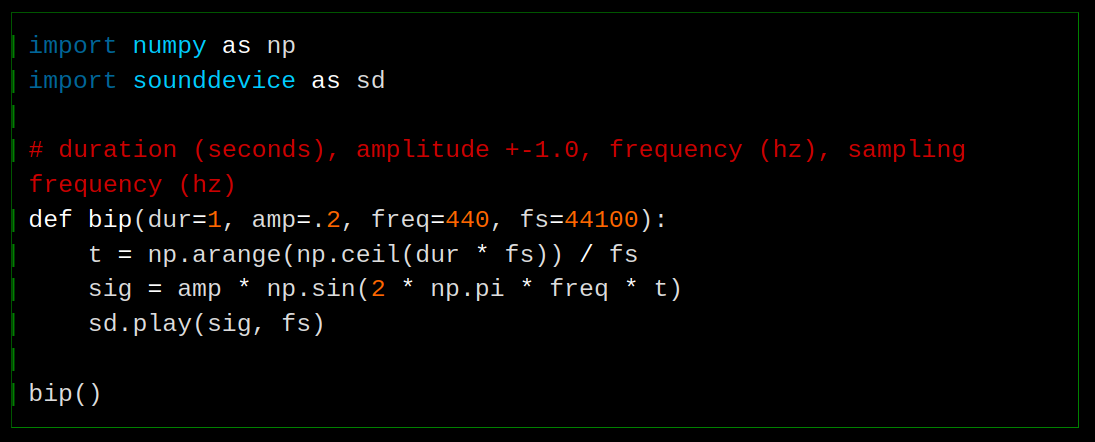
You could also make this into line numbers by incrementing a CSS counter on each lineno. The hard bit is to align it. I think line numbers are clutter and a waste of space. If you want to point something out in the code, you could and should do it with comments, as it’s actually hardcoded in the content and not going to change in future or based on the environment the code is displayed in. These indicators take no extra space.
I think it’s nice to be able to see the logical lines, but this is so subtle now, is it really worth adding? It goes against my ideal of not complicating things unless you have a very good reason.
It’s the method I am most likely to use because I can’t see how it would break, at worst it would not be visible, which is no different from normal. If I disable JavaScript for example, we just don’t get indicators, but nothing is broken.
Well, fuck it, if I am wrong in my assumptions I would like to find out, so let’s add it. Commit ec70765.
Site: ASCII blocks
I think I talked about it before, old versions of Webkit on iOS (~2020) have a bug in code blocks that are not supposed to wrap where if the first character of a line is not whitespace, it wraps, overlapping whatever is on its way. I always have to pay attention in ASCII art or anything else that is not meant to wrap that the first character in each line is space. On modern devices it’s not a problem, but I still want it to work for people with old devices, 2020 is not even that long ago. It comes up again because adding a pseudoelement before the line that is not space triggers it as well apparently.
The workaround is the same as I use for Braille, put it in its own custom code block instead of in a plaintext code block. This is done by declaring it as a language that does not exist in Rouge. I talked about it and showed how it changes the DOM in devlog 3. It will wrap by default, so have to add the usual CSS:
.language-asciiart {
  white-space: pre;
  overflow-x: auto;
  /* Required for overflow-x auto */
  display: block;
}
Because these blocks are not in the same DOM structure they do not get touched by the JavaScript line indicators thing.
Site: Braille broken on Adwaita
Looking at my ASCII note while debugging this also made me notice that Braille is broken with the new version of Adwaita (50.0) that came out late February.
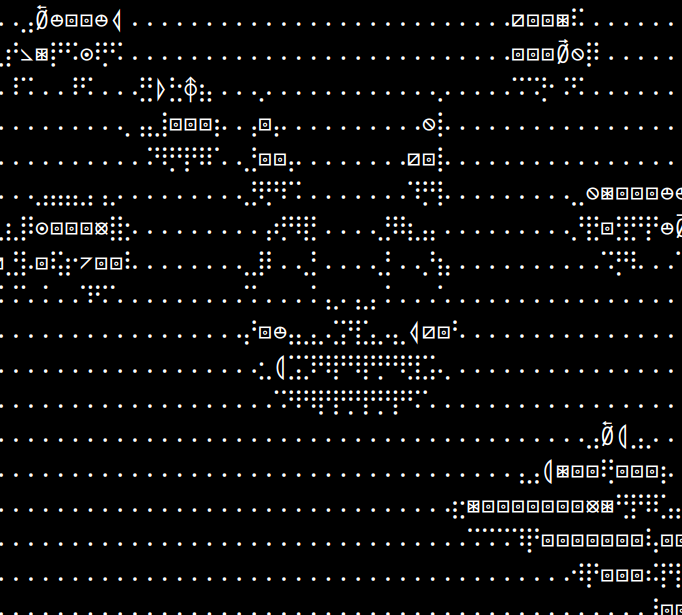
It actually looks kind of cool in a way.
The only thing that happened in 2026 is this commit, “mono: Remove RIS workaround”
- # https://github.com/be5invis/Iosevka/issues/2555
- [buildPlans.AdwaitaMono.excludeChars]
- ranges = [[0x1f1e6, 0x1f1ff]]
Braille characters are not in this range, but it seems like the characters I’m seeing instead are. It’s prioritising these characters over Braille? It’s over my head, I don’t know what I’m talking about, I didn’t realise there are overlaps like this in Unicode, where you could decide to show one character or two others. The linked issue suggests they had to exclude them for flag emojis to work.
It’s not broken with Iosevka, so I changed it to that, but I don’t like how narrow it is, it’s not super good for Braille for that reason. We can change line-height (and possibly letter-spacing) but it would break other fonts (and other devices like phones, where people usually don’t install fonts or have no control over the fonts). With line-height: 1 it looks really nice with Iosevka, almost perfectly even so that the dots are like pixels, but on other fonts it looks ridiculously wide. I settled on a compromise of 1.2.
To be clear, the reason we need certain fonts instead of just monospace is the latter has a visible empty grid as the empty Braille grid character, which makes it hard to see. In Adwaita and Iosevka and several other fonts, the empty grid character looks like empty spacing (this is what I want).
Site: Content comment
An embarrassing bug that has been in this site for a long time that I finally fixed. The entire DOM under the post div would get duplicated in an often-enormous HTML comment at the end of every post. I had noticed it a while ago actually but thought it was just another eccentic Jekyll thing or something to assist debugging, I don’t know.
Rofi: drun order file
Had Chromium disappear from the first spot on rofi drun, as if its counter reset. The location of the counts is in ~/.cache/rofi3.druncache, in the format:
512 org.kde.krita.desktop
214 firefox.desktop
139 org.kde.kronometer.desktop
133 mpv.desktop
..
If you move something to the top and save it appears at the top the next time you launch rofi drun, but each time you launch something with rofi this file gets reordered based on the numbers at the start. So to move something to the top change also its number.
1000 chromium.desktop
512 org.kde.krita.desktop
214 firefox.desktop
139 org.kde.kronometer.desktop
133 mpv.desktop
..
I wanted to comment this information on this Reddit thread by Phydoux from May of last year, which had 0 responses, and is the top result for “rofi drun order” on Google, but it’s archived. I recalled that a few years ago Reddit made all old posts no longer archived, with the option for the mods to re-enable archiving, so I tried to lobby the mods to unarchive old posts so that we could add information to old posts with 0 responses that index highly in search engines. They responded simply “Once posts are archived, we cannot reverse it.”
Even if someone looking for this information in the future somehow finds this devlog, they would most likely close it immediately because it’s far too long with the information they need buried [it’s at least in the TOC]. But it would be weird to create a devlog just for this, and I don’t know where else to put it. (Maybe there should be another collection for small pieces of information? I feel that I would not want to create tonnes of small files though. And I don’t know what to call it. And it’s extra work/complication for something that probably doesn’t matter.)
Why is this devlog so long?
They used to be one per day but as I worked on things that took several days or weeks it made more sense to keep adding to the same one instead of artificially breaking it up, and I have now gotten into the habit. Each time I want to add something I feel like it’s too small to make a new devlog just for that.
Linked discussion